Strideway Freecam (Shift+P)
Cinematic camera for Strideway screenshots without third-party tools.
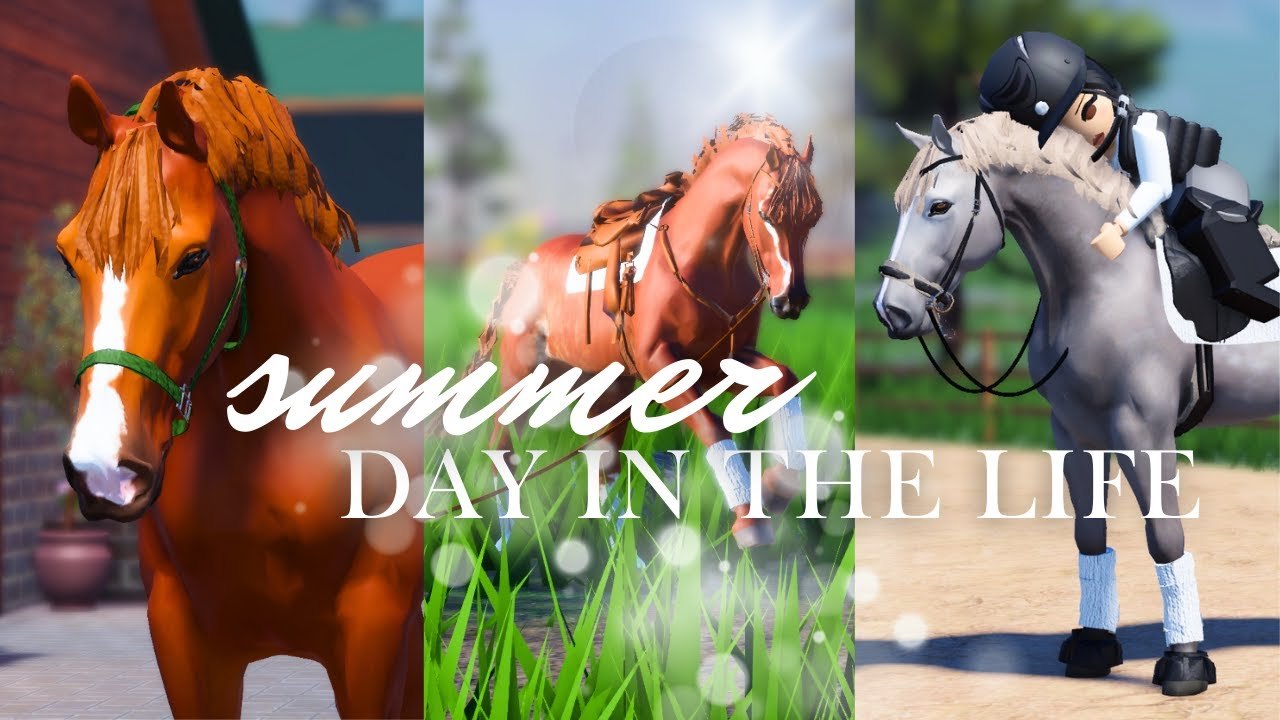
What Freecam is
Freecam is Strideway’s built-in cinematic camera on PC and laptop. Press Shift+P to toggle free camera movement so you can inspect Gen 3 horse models, deeper tack, barn aisles, and trailer setups without fighting the default chase cam. It is the legitimate answer to a huge chunk of “camera script” demand — no executor required. Parent hub: Tools.
Mobile players do not get Shift+P freecam; use pinch zoom and drag carefully instead, and lean on friends for PC screenshots if needed.
How to use Shift+P
- Join Strideway on a keyboard device from the official place (Wiki Links).
- Spawn your horse from a claimed stall (Buy and Spawn a Horse).
- Optionally hide the riding prompt in Settings so you do not mount mid-shot (Controls).
- Press Shift+P to enter Freecam.
- Fly the camera around shoulders, hooves, bridle, and saddle pad detail.
- Press Shift+P again (or the experience’s exit freecam control if labeled) to return to normal play before you try to ride.
If freecam feels stuck after a Shutdown update, rejoin once. BETA camera states occasionally desync.
Best freecam use cases
Conformation and tack checks
After Customization, orbit the horse to catch clipping girths, pad stretch, or coat banding that chase cam hides. Gen 3’s deeper tack (Gen 3 Horses) especially rewards close passes along the skirt and browband.
Barn storytelling
Capture sweeping, bedding, and apple moments from Barn Tasks without standing in the broom volume. Keep aisles clear — eight-player servers still need walkable space while you film.
Training breakdowns
Freecam helps you review jump approaches when refusals spike. Record a line, exit freecam, adjust canter rhythm, and try again using tips from Controls and Lead Your Horse.
Community showcases
Host freecam nights with manners from Community: take turns, do not park the camera inside someone else’s stall claim, and share shots instead of gatekeeping angles.
Freecam etiquette
| Do | Do not |
|---|---|
| Announce big photo sessions in busy arenas | Block clinic doors while orbiting |
| Despawn extra horses for FPS | AFK in freecam for thirty minutes mid-aisle |
| Exit freecam before driving the trailer | Assume mobile riders have the same tool |
| Use it instead of injector “camera hacks” | Paste freecam “scripts” from strangers |
Troubleshooting
| Issue | Fix |
|---|---|
| Shift+P does nothing | Confirm PC/laptop client; click the game window for focus |
| Camera moves but horse controls feel dead | Normal — exit freecam before riding |
| Motion sickness | Slow camera; lower sensitivity in Roblox settings |
| Blurry Gen 3 meshes | Raise graphics temporarily for the shoot |
| Want automation | Stop — see Scripts Safety |
Freecam vs fake tools
YouTube malware still advertises “better freecam scripts” for horse games. Strideway already ships Shift+P. Anything asking you to run HttpGet chains duplicates a feature you own and risks the account that bought access (~90 Robux eras) plus Ethan’s horses. Our Scripts Hub stays empty on purpose.
Suggested 5-minute photo routine
- Bed stall + quick apple for scene setting.
- Lock riding prompt.
- Shift+P → three angles (front 3/4, side, tack close-up).
- Exit freecam → short lead walk for motion blur shots if desired.
- Optional trailer backdrop in town parking if the horse is sound (Travel and Vet).
- Share kindly; debate breeds as opinions on Horse Breeds.
Related pages
Freecam is the rare “tool” that makes Strideway prettier without making Roblox angrier. Press Shift+P, shoot responsibly, and ride out on the same horse you just photographed.
Frequently Asked Questions
Quick answers about horses, codes, controls, and updates.
How do I turn on Freecam in Strideway?
On PC or laptop, press Shift+P. Press it again when you are ready to return to normal controls.
Does Freecam work on mobile?
No. Shift+P Freecam is for keyboard clients. Mobile users rely on touch camera controls.
Why can’t I move my horse in Freecam?
Freecam detaches the camera from normal ride focus. Exit Freecam before mounting or leading again.
Do I need a script for better camera?
No. Built-in Shift+P covers cinematic needs. Avoid third-party camera executors.
Freecam stopped working after an update — what now?
Rejoin after Shutdown finishes and click into the game window. If it still fails, check Updates for known BETA notes.