Strideway Buy, Claim, and Spawn Horses
Ethan’s Horse Shop, breed groups, stalls, and prompt lock explained.
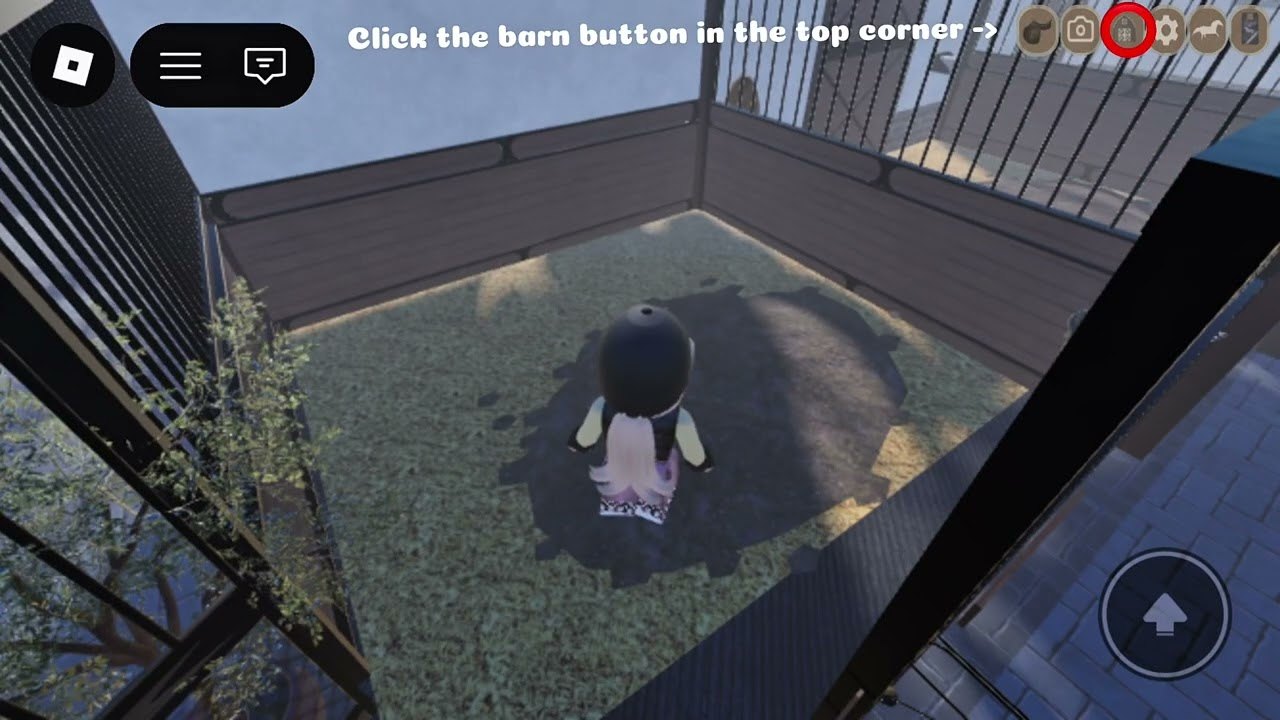
Goal of this guide
Own a horse the intended way: open Ethan’s Horse Shop through the top-bar computer on the right, pick a breed group, purchase, claim a stall, then spawn from the stable list. Everything else — leading, chores, vet runs — assumes this loop works. If you are brand new, skim Getting Started first; if inputs feel foreign, keep Controls nearby.
Strideway remains BETA. Shop UIs can hitch after Shutdown updates (Shutdown ≈ update). Gen 3 horse models around 7 Nov 2026 changed how horses look and how tack sits, but the computer → shop → stall → spawn pipeline is still the spine of ownership.
Step 1 — Open Ethan’s Horse Shop
- Join an official Strideway server (confirm via Wiki Links).
- Look at the top bar, right side, for the computer icon.
- Open it to reach Ethan’s Horse Shop and related management panels.
- Do not wander endlessly looking for a sidewalk vendor first — the computer is the reliable entry players document.
If the icon is missing after a patch, rejoin once. Persistent absence belongs on the bug radar, not on a random script “fix.” We do not recommend executors; see Scripts Safety.
Step 2 — Understand breed groups
Shop stock is organized so you can compare families:
- Warmbloods — Thoroughbreds, KWPN / Dutch Warmbloods; popular for sporty roleplay and flatter movement looks.
- Coldbloods — Friesians, Cobs, Fjords; strong presence, feathering and draft-influenced vibes depending on model.
- Ponies — smaller frames for compact riders and certain lesson-style roleplays.
- Also discussed by community — show-oriented horses, Arabians, and AQH / stock types depending on what the shop currently lists after updates.
Treat public “tier lists” as opinion. Our framed rankings live on Horse Breeds. Buy the horse you will actually ride weekly, not the one a thumbnail crowned S-tier last month.
Step 3 — Purchase thoughtfully
Access pricing for Strideway itself has hovered near 90 Robux and may fall over time; horse prices are separate shop costs. Check your balance, read the horse entry, and preview coats when the UI allows. After Gen 3, deeper tack means the “finished” look depends more on customization — plan a follow-up visit to Customization once the horse is spawned.
Avoid scams promising free shop horses through chat “codes.” Active Codes shows no promo codes as of November 2026.
Step 4 — Claim a stall
Claiming is the difference between “I own it” and “I can consistently spawn it.”
- Find the stall claim flow in the barn/stable area tied to your purchase.
- Claim an open stall so your horse is anchored to the stable system.
- Remember which barn aisle you used — eight-player servers still get crowded at peak hours.
Without a claim, players report confusing empty spawns. If someone else stands in “your” aisle during roleplay, communicate; etiquette tips sit on Community.
Step 5 — Spawn from the stable list
- Open the stable list tied to your claimed stalls.
- Select the horse you want in the world.
- Wait for the model to load — Gen 3 meshes can hitch on lower-end devices.
- Confirm you can see interact prompts before walking away.
Despawn or put away horses when you switch mounts so barns stay navigable. BETA ghosts (horses that exist in the list but not visually) usually clear after a relog.
Step 6 — Settings lock and riding prompts
After spawn you will see mount prompts (E on PC). For grooming, lunging, or filming, open Settings and use the lock that hides the riding prompt. Unlock when you are ready to mount again. This single toggle prevents a huge chunk of “I keep hopping on by accident” frustration during Barn Tasks and Lead Your Horse work.
Recovery checklist when something fails
| Symptom | Try |
|---|---|
| Computer icon missing | Rejoin; verify official place |
| Purchase succeeded, no horse | Confirm stall claim + stable list spawn |
| Horse invisible | Relog; wait out Shutdown updates |
| Cannot mount | Unlock riding prompt in Settings; stand closer |
| Horse lame after ride | Trailer to clinic — Travel and Vet |
| Shop looks different | Read Gen 3 Horses |
Multi-horse management
Serious roleplayers keep a barn mix: one reliable schoolmaster, one project youngster look, maybe a pony for variety. Spawn only what you need. Park trailers thoughtfully so the next rider can reach Izzy’s or June’s routes. When you finish, leave stalls tidy — sweeping and bedding loops reinforce ownership fantasy and are documented under barn tasks.
Related pages
- Guides Hub
- Controls
- Customization
- Horse Breeds
- Freecam for conformation shots after spawn
Buy once with intention, claim carefully, spawn deliberately, and Strideway’s horse loop clicks. Everything else is mileage.
Frequently Asked Questions
Quick answers about horses, codes, controls, and updates.
Where is Ethan’s Horse Shop?
Open it through the computer icon on the top bar (right side). That is the standard player path into the shop.
Why do I need to claim a stall?
Stall claims anchor your horse to the stable list so you can spawn reliably. Skipping the claim is a common reason new buyers think the purchase failed.
How do I stop the mount prompt while grooming?
Use the Settings option that locks/hides the riding prompt, then unlock it when you want to ride again.
Which breed should I buy first?
Pick a group that matches your roleplay — Warmbloods for sporty vibes, Coldbloods for presence, ponies for smaller frames. See the Horse Breeds page for community opinions.
Can scripts buy horses for me?
We do not list or recommend Strideway scripts. Shop purchases should stay manual to protect your account.