Strideway Coats, Tack, and Colors
Make your Warmblood, Friesian, or pony look show-ready in Strideway.
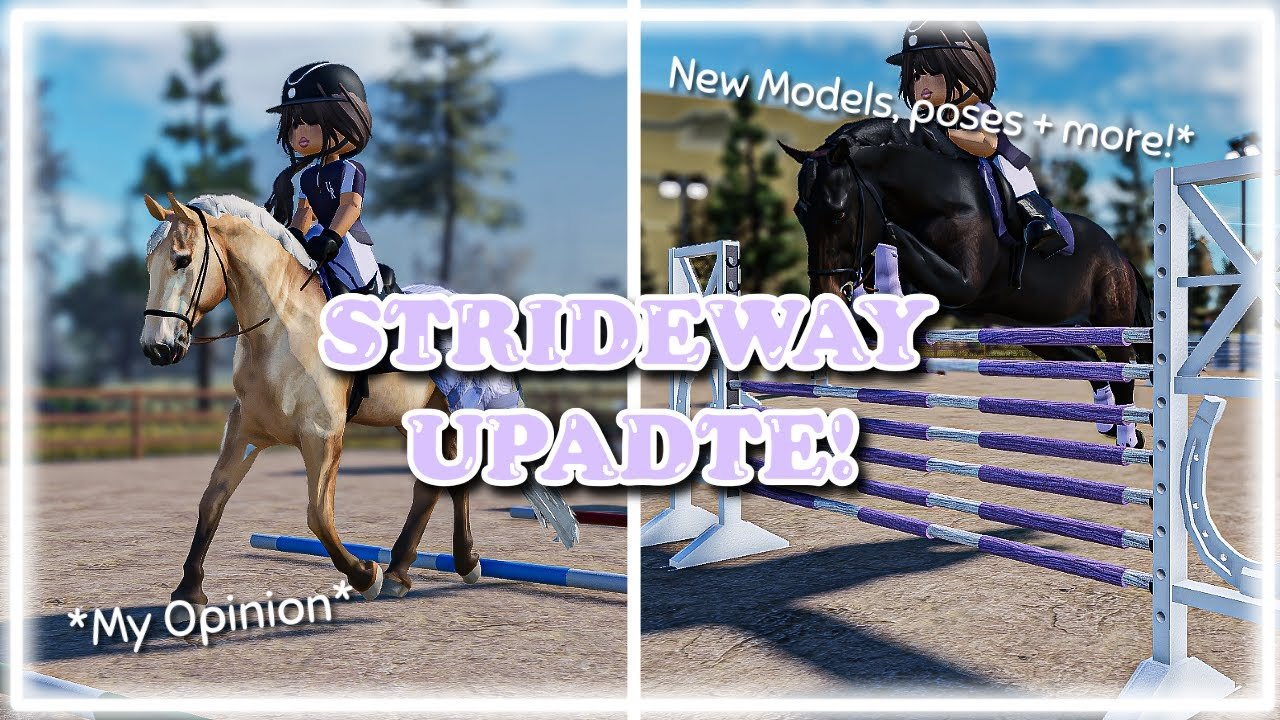
Customization after you own the horse
Buying from Ethan’s Horse Shop is only half the fantasy. Coats, tack, coloring tools, and saddle pads turn a stock spawn into your horse. This guide focuses on practical customization habits that survived the Gen 3 horse models update around 7 November 2026, when meshes refreshed and tack depth increased. For patch context, read Gen 3 Horses; for ownership basics, stay fluent with Buy and Spawn a Horse.
Before you open the editor
- Spawn the horse from your claimed stall list.
- Stand in good light — town or arena — so color picks are honest.
- Hide the riding prompt via Settings lock so you are not mounting mid-edit.
- Optional: enable Shift+P Freecam on PC to inspect shoulder, hip, and bridle fit (Freecam).
- Know which breed group you are editing — Warmbloods, Coldbloods, ponies, or other shop offerings — because tack silhouettes read differently on each.
Coats and color tools
Strideway’s coloring flows let you push coat tone, markings emphasis, and related sliders depending on the current UI. Practical advice:
- Make small adjustments, then freecam-check from three angles.
- Avoid maxing every slider; muddy browns and neon accidents happen fast.
- Match coat choices to roleplay: schoolmasters often look quieter; show fantasy can go bolder.
- Save favorites mentally (or screenshot) before experimenting so you can revert after a wild palette.
Community players sometimes share saddle-pad / decal codes. Those are not promo codes. They only feed cosmetic fields. Never log into third-party “apply decal” sites. See How to Redeem Codes for the promo-vs-decal distinction and Active Codes for the (currently empty) promo list.
Tack depth after Gen 3
Gen 3 made tack read with more depth: saddles, bridles, pads, and related pieces sit on updated meshes. That means:
- Ill-fitting color contrasts show more — preview pads against coat tone.
- Jump roleplay looks better when tack is complete, but refusals still depend on riding line, not how shiny the leather is.
- Cleaning tack as a Barn Task pairs narratively with editing sessions.
If a tack piece clips after a Shutdown, re-equip once; BETA attach points occasionally need a refresh.
Saddle pads and decal-style cosmetics
- Open the pad/decal field inside customization.
- Paste only IDs from people you trust.
- Preview; reject broken textures immediately.
- Keep a “show pad” and a “daily pad” if you switch looks often.
- Do not confuse a pad ID with a free Friesian — horses still come from Ethan’s computer shop.
Workflow: show-ready in one session
- Sweep and bed the stall (Barn Tasks).
- Spawn; lock riding prompt.
- Adjust coat subtly.
- Equip / color tack; set pad.
- Freecam conformation orbit.
- Unlock prompt; mount; walk a straight line — check bounce and bridle from chase cam.
- Optional trailer trip for town photo backdrops (Travel and Vet parking makes a decent urban set if the horse is sound).
Breed-aware styling notes (opinionated, not rules)
| Group | Styling notes |
|---|---|
| Warmbloods / TBs / KWPN | Clean sport tack, restrained pads for hunter/jumper RP |
| Friesians / Cobs / Fjords | Embrace presence; test how black coats eat pad detail |
| Ponies | Scale matters — busy pads can overwhelm small frames |
| Arabians / show / AQH talk | Match community event themes; see Horse Breeds |
Rankings on the tier page are community opinion, not developer law. Customize for the story you ride.
Troubleshooting
| Problem | Try |
|---|---|
| Colors look different indoors | Relight in arena sun; freecam check |
| Tack missing after update | Re-open customization; re-equip; read Gen 3 notes |
| Decal fails | Bad ID; discard; do not visit phishing “fixers” |
| Editor closes on mount | Settings lock riding prompt |
| Want automation | Do not — see Scripts Safety |
Related pages
- Guides Hub
- Gen 3 Horses Update
- Horse Breeds
- Getting Started
- Codes Hub for promo vs cosmetic confusion
Customization is where Strideway ownership becomes identity. Take your time, preview often, and let Gen 3’s deeper tack do the heavy lifting while you ride the horse you actually like.
Frequently Asked Questions
Quick answers about horses, codes, controls, and updates.
When should I customize my horse?
After you have bought, claimed a stall, and spawned the horse. Lock the riding prompt so editing is uninterrupted.
Did Gen 3 change customization?
Yes. New models and deeper tack mean fits and visuals updated around 7 Nov 2026. Re-check tack after that patch if something looks off.
Are saddle-pad codes the same as promo codes?
No. Pad or decal IDs only affect cosmetics. Promo codes (when they exist) use a separate redeem flow and none are active as of November 2026.
How do I inspect tack closely?
On PC, use Shift+P Freecam after hiding the mount prompt. Orbit the shoulders, girth, and bridle before saving a look.
Can scripts recolor horses faster?
We do not provide or recommend Strideway scripts. Use the official customization UI only.